
Access map
All Panel Login & ID Access
New to All Panel? Tap Register and the WhatsApp desk opens; you can start your ID setup in about two minutes. Already have an ID? Ask the same desk for the current login link. Below: what to ask, what to check before you pay, how to use All Panel on your phone, and the cricket coming up.






























































How this site works
One WhatsApp desk for ID, login, exchange and payments
Everything here runs through chat. There is no sign-up form on this site and no password box anywhere. The two buttons at the top are shortcuts: Login opens our login guide, Register opens the WhatsApp desk.
Use the desk for anything to do with your account: a new ID, the current login link, switching on exchange access, a demo ID, or a deposit or withdrawal question. Keep it all in one chat. When something goes wrong later, your history is already there and nobody has to start from zero.
If you already know what you need, pick a card below. If you are new, start with All Panel Register.
Quick access
Choose the All Panel page that matches your task
Pick the card for what you are trying to do right now. Each page covers one job.
All Panel Login
Use this when an old link fails, your device changed, or you need the current login access path.
All Panel Login → IDAll Panel ID
Understand what the ID connects: login, app access, exchange access, payment support and issue tracking.
Get your All Panel ID → NewAll Panel Register
Open the new-ID flow, confirm the right account type, and ask for exchange access if needed.
Register for All Panel → ExchangeAll Panel Exchange
Get exchange switched on for your ID, find the current exchange link, and sort out wallet questions.
All Panel Exchange → AppAll Panel Exchange App
Set up the exchange on your phone and keep it readable during a live match.
Exchange on your phone → PaymentsDeposit & Withdrawal
Confirm UPI, Paytm, GPay, PhonePe or IMPS details before the first transfer.
Payment steps → APKPhone Access
Use All Panel on Android or iPhone from the WhatsApp link, and learn to spot a fake APK.
Phone access guide → DemoDemo ID
Learn the lobby and exchange layout before funding a live account.
Try the demo → TrustIs All Panel Legit?
Read the trust checks, limits, and safety signals before using any access desk.
Review the checks →Cricket coming up
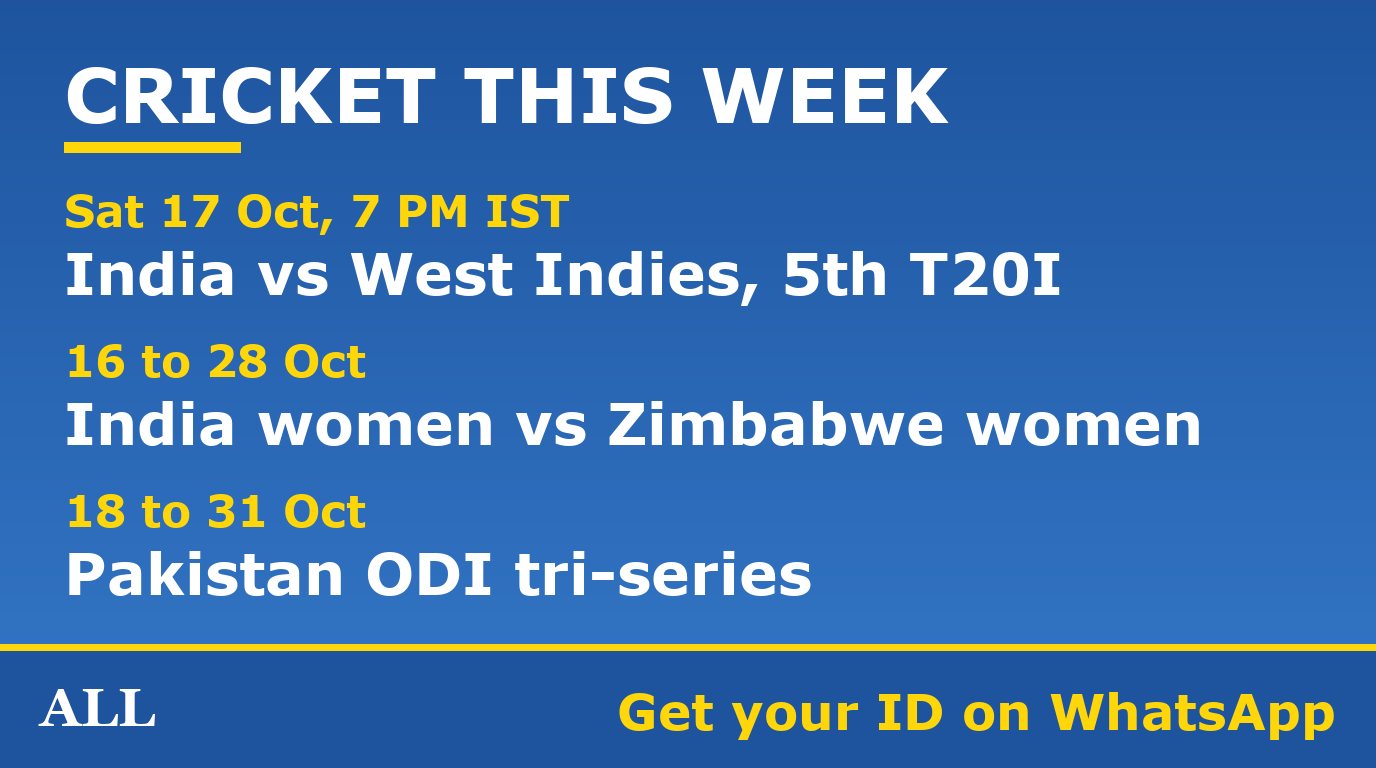
Updated 14 October 2026. A quick look at the cricket between now and Christmas, grouped by when it starts. Fixture dates sometimes shift, so confirm the day's match before you plan around it.
- Now: the India v West Indies T20I series (6 to 17 October) wraps up with games in Hyderabad (14 October) and Bengaluru (17 October). India won the earlier ODIs 2-1. Australia's Test series in South Africa carries on until 31 October.
- From 16 October: Zimbabwe women are in India for 3 T20Is and 3 ODIs, finishing 28 October. From 18 October, a three-way ODI series between Pakistan, England and Sri Lanka runs to 31 October.
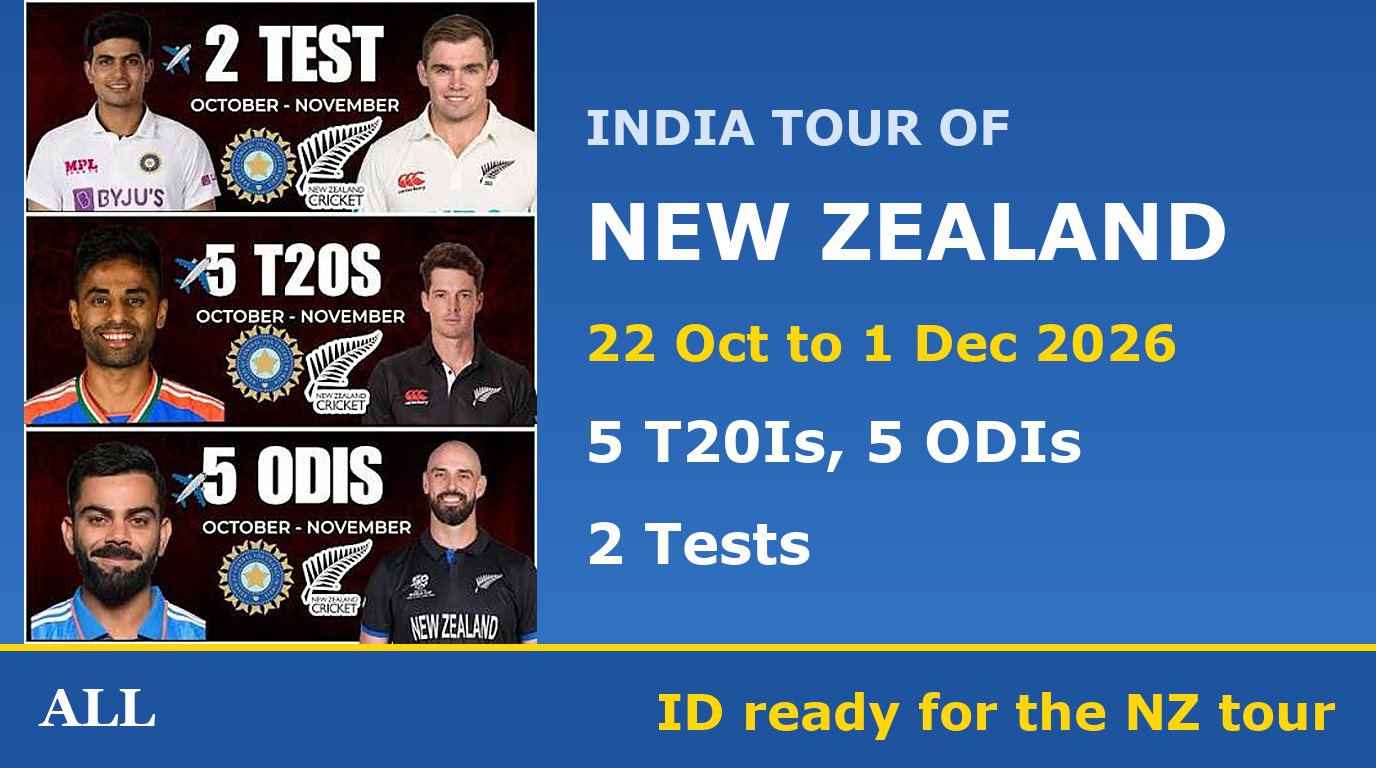
- From 22 October: India's tour of New Zealand, the longest on this list. 5 T20Is and 5 ODIs, with the two Tests at the end: Wellington 19 to 23 November, Christchurch 27 November to 1 December.
- From 13 November: England tour Australia for a Test, 3 ODIs and 5 T20Is.
- December: India women go to South Africa from the 9th (a Test, 3 ODIs, 3 T20Is), and Sri Lanka visit India from the 13th for 3 ODIs and 3 T20Is.
New Zealand is several hours ahead of India, so those games begin early in your day. Log in once the night before to make sure your link still works, rather than finding a stale link first thing. Fix your budget for the whole tour before the first game.
Getting an All Panel ID
- Tap RegisterWhatsApp opens with the All Panel desk. You do not fill in anything on this site.
- Say what you need in one messageNew ID, exchange access, a demo ID, or help with an old ID. Mention whether you are on Android or iPhone.
- Get your ID and the current linkThe desk sends both in the chat. Open the link and check that your account screen loads.
- Confirm payments before the first depositAsk which method is active for your ID and how withdrawals work, then send money.
Hindi or Hinglish is fine. "Naya ID chahiye, Android hai, exchange bhi chahiye" is a perfectly good first message. More detail on what an ID covers: All Panel ID.
Already have an ID? Login help
Most login problems are an old link. Saved tabs and forwarded messages stop working when the link changes. Ask the desk for the current one, open it, and replace your bookmark or home-screen icon.
If the link opens but your details do not work, say exactly that in the chat. Do not make a new ID until the desk has checked the old one, especially if a payment on the old ID is still pending. Full steps: All Panel Login.
All Panel Exchange (allpanelexch)
All Panel Exchange is the market side of an All Panel ID, used mostly for cricket. It is separate from the casino lobby, and it is not always switched on for a new ID. Ask the desk to enable it when you register, or to check your existing ID, then use the link they send.
The All Panel Exchange page covers access and wallet questions. For setting it up on your phone, see the All Panel Exchange App guide.
Deposits and withdrawals
Before you send anything, ask the desk which method is active for your ID: UPI, Paytm, GPay, PhonePe or IMPS. Payment details change, so never pay from an old screenshot or from details someone forwards to you.
Keep your transaction reference and share it only in the desk chat. For a withdrawal, ask what details the desk needs and send them in the same chat. Step by step: All Panel Deposit and Withdrawal.
On your phone: use the link, not an APK
Most people searching for an All Panel APK just want an icon on their phone. You can have that without installing a file. Open the desk's link in Chrome or Safari and use Add to Home screen. It works on iPhone too.
This site does not host or link any APK file. Be wary of "latest version" and "old version" downloads on other sites: anyone can put a version number on a file. How to set up the shortcut and how to spot a fake: All Panel APK and phone access.
Try a demo ID first
Never used a panel like this? Ask for a demo ID. It shows the lobby, the exchange screen and the menus without real money. It cannot show your real wallet or how withdrawals work, so confirm those with the desk separately. See All Panel Demo ID.
What this site will never do
This site never asks for your password, never takes payments, never hosts APK files and never promises wins. If a page using the All Panel name asks for any of those, close it and message the desk instead.
18+ only. Set a budget before you play, and stop when it stops being affordable or fun.
Instant & secure
Deposit & withdrawal, 24x7
Ask support to confirm UPI, Paytm, GPay, PhonePe or IMPS before the first transfer, then keep the same chat open until the account reflects the payment.

Longer guides
Step-by-step walkthroughs, if you want more detail before you message the desk. The guides page lists them all.